
Last 100M directions
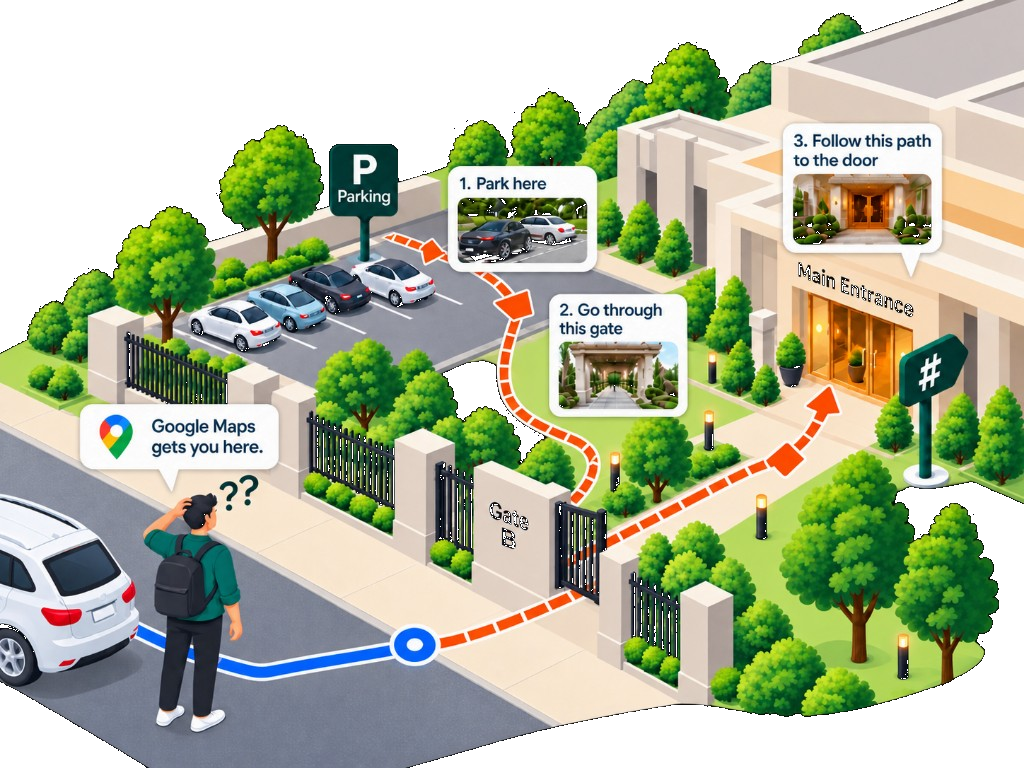
The parking area and the door – in one link.
Google Maps stops at the street. doorsTag is the rest: where to park, which gate, photos of the way in.
Create Your doorsTagSimple. Useful. For every visitor.
Easy for Your Guests
Great for Businesses
Saves Time and Confusion
Visitors: paste the host’s WhatsApp number (with country code). If they have several public places, you’ll get a list to pick from. Private places never appear in this search.
Create a doorsTag
Open WhatsApp and send Hi
That opens a chat with doorsTag (+91 80503 81333). Send the pre-filled Hi. Stay in WhatsApp after that — the bot will walk you through it.